

A small water leak can turn into an expensive home repair surprisingly quickly.
A dripping pipe under the kitchen sink, a leaking washing machine hose, a faulty water heater or a slow bathroom leak may go unnoticed for hours—or even days—if nobody is around.
That’s where a smart water leak sensor can help.
These small devices are designed to detect water and send an alert to your phone. Some also have built-in sirens, while more advanced systems can connect to smart-home devices and even trigger an automatic water shutoff.
For this guide, we compared popular smart water leak sensors and looked at factors such as detection reliability, app notifications, alarm volume, battery life, waterproofing, smart-home compatibility, hub requirements and overall value.
After comparing the options, these are five smart water leak sensors worth considering.
Quick Comparison: Best Smart Water Leak Sensors
| Rank | Water Leak Sensor | Best For | Connection | Standout Feature |
|---|---|---|---|---|
| #5 | Aqara Water Leak Sensor T1 | Aqara smart homes | Zigbee | Small size + long battery life |
| #4 | TP-Link Tapo T300 | Loud local alarms | Tapo hub | 90 dB alarm |
| #3 | SwitchBot WiFi Water Leak Detector | Easy Wi-Fi monitoring | Wi-Fi | Remote notifications |
| #2 | GoveeLife Smart Water Leak Detector | Multiple sensors | Gateway/Wi-Fi | Affordable multi-sensor protection |
| #1 | YoLink Water Leak Sensor | Long-range coverage | YoLink | Long-range connectivity |
Important: Smart water leak sensors are designed to warn you about water; they generally do not stop the water by themselves. Automatic shutoff requires compatible equipment such as a smart valve controller.
Why Should You Buy a Smart Water Leak Sensor?
Water damage is one of those problems where early detection can make a huge difference.
A conventional water detector might sound an alarm when it detects water.
A smart water leak sensor can potentially do much more.
Depending on the model, you may receive:
- Smartphone notifications
- Local audible alarms
- Low-battery alerts
- Smart-home automation
- Water-leak history
- Temperature monitoring
- Remote alerts
- Integration with cameras
- Automatic water-shutoff triggers
Imagine you’re away from home and your washing machine hose starts leaking.
Instead of discovering the problem when you return, your phone could notify you shortly after the sensor detects water.
That’s the biggest advantage of smart leak detection.
#5 — Aqara Water Leak Sensor T1
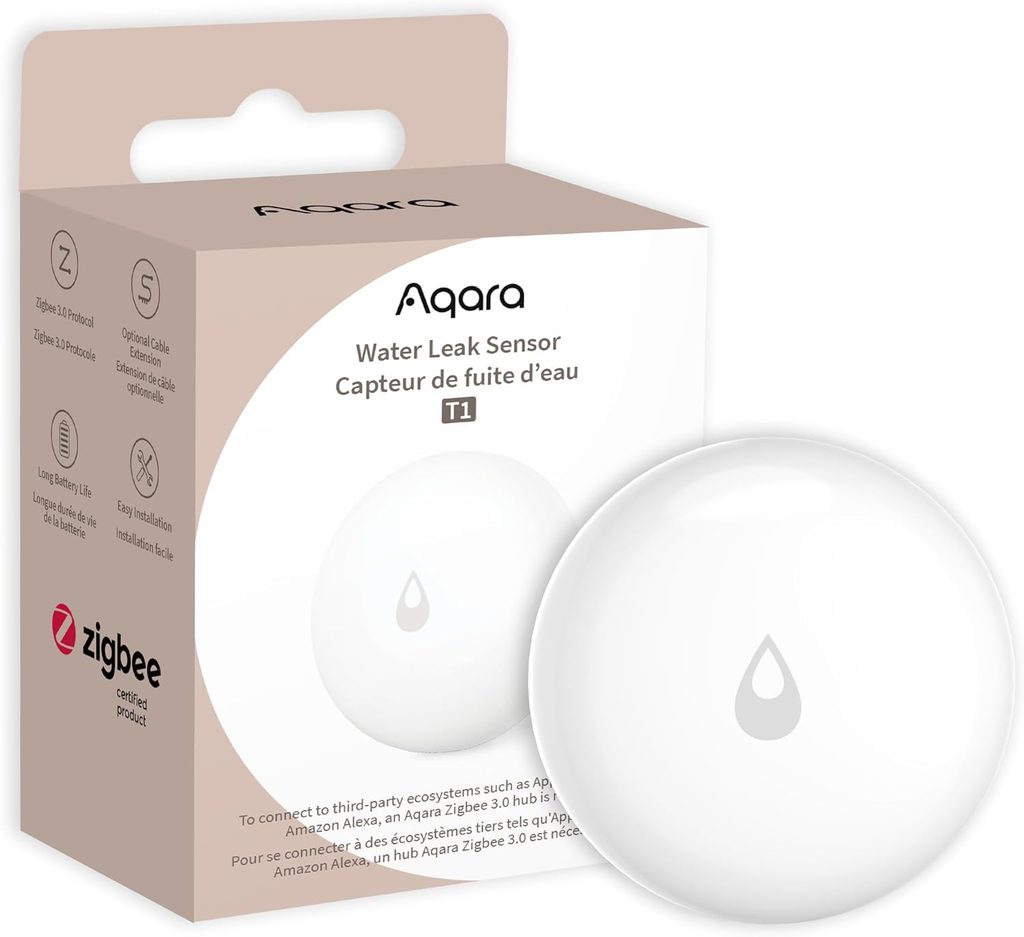
Best for: Aqara smart-home users
The Aqara Water Leak Sensor T1 is a compact option for people who already have an Aqara smart-home system.
The T1 communicates using Zigbee 3.0 and uses a CR2032 battery. Aqara lists the sensor at approximately 50 × 50 × 15 mm, making it small enough to place underneath sinks, near appliances or in other tight spaces.
The sensor detects water leaks and flooding and can send notifications through the Aqara ecosystem.
Aqara also supports automation with its other smart-home products.
For example:
Water detected → phone notification
Or, with compatible equipment:
Water detected → trigger valve controller → shut off water
Aqara specifically offers a Valve Controller T1 that can work with its water leak sensor to automatically stop water flow when a leak is detected.
Key features
- Zigbee 3.0
- CR2032 battery
- Compact design
- Water leak and flood detection
- Smart-home automation
- Phone notifications
- Aqara ecosystem support
- Compatible with Aqara hubs
- Long battery life
Aqara says its water leak sensor can detect water at approximately 0.5 mm and that a battery can last more than two years under normal use.
Where should you put it?
Good locations include:
- Under the kitchen sink
- Under bathroom sinks
- Near washing machines
- Near water heaters
- Behind refrigerators
- Near toilets
- In utility rooms
- Near pipes
Potential downside
The biggest limitation is that the T1 is not a completely standalone Wi-Fi device.
An Aqara hub is required for its smart-home functionality.
If you don’t already use Aqara products, buying the sensor, hub and other equipment can make the setup more expensive than a simple Wi-Fi leak detector.
Best for
Existing Aqara users who want to add water-leak detection to their smart-home system.
Check Price on Amazon
#4 — TP-Link Tapo T300
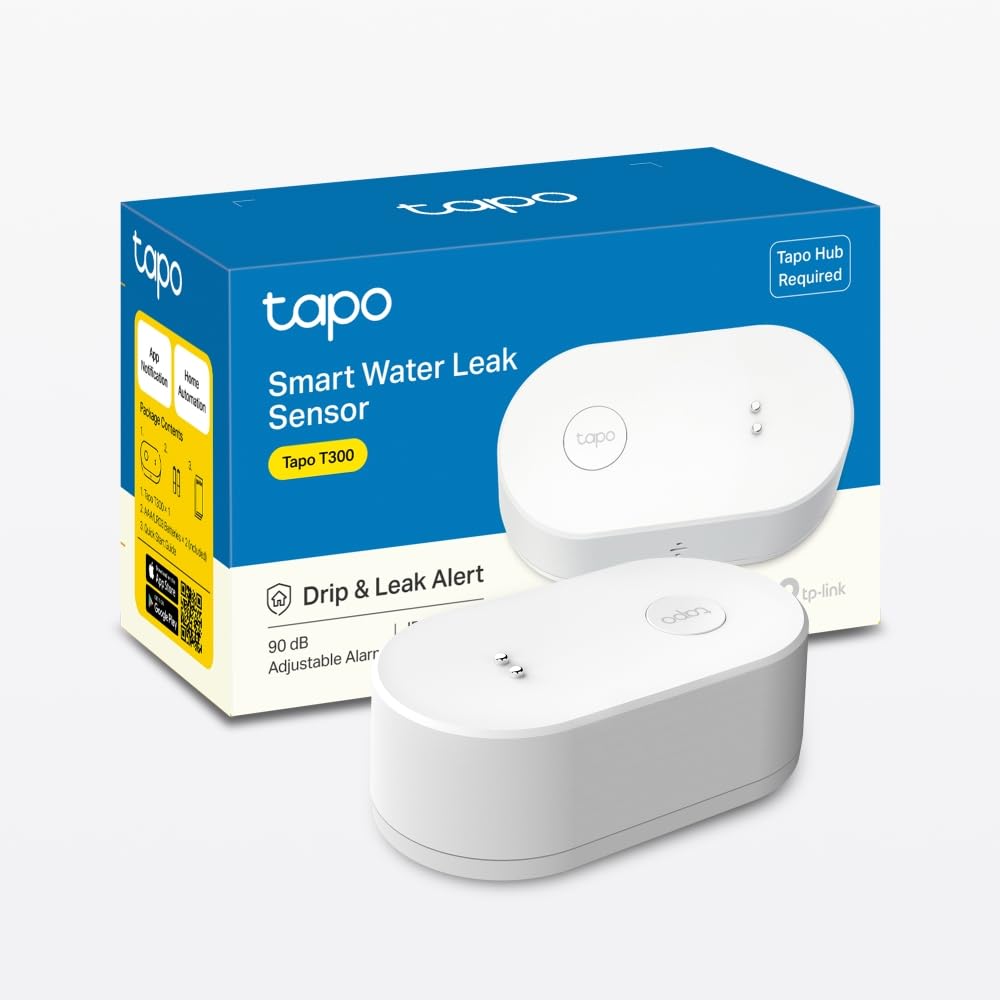
Best for: Loud local leak alerts
The TP-Link Tapo T300 is one of the most interesting options if you want a water sensor that can alert people who are physically near the leak.
Instead of relying entirely on a smartphone notification, the T300 has a built-in alarm rated at up to 90 dB.
That’s useful because your phone might be on silent, in another room or simply out of reach.
The T300 uses six detection probes positioned on the top and bottom of the device to detect leaks and flooding. TP-Link also gives it an IP67 rating, making it suitable for wet environments.
Key features
- 90 dB alarm
- Six water detection probes
- IP67 waterproof rating
- Instant app notifications
- Wireless design
- Low-battery notifications
- Tapo smart-home automation
- Around three-year claimed battery life
- Tapo Hub required
TP-Link says the T300 can detect water once the water level reaches approximately 0.5 mm when positioned horizontally.
Smart-home automation
The T300 becomes more useful when combined with other Tapo products.
For example:
Leak detected → Tapo hub sounds alarm
Or:
Leak detected → smart light turns on
You could even configure a Tapo camera to monitor a specific area when a leak is detected, depending on the supported equipment and setup. TP-Link describes this type of automation in its product documentation.
Great locations for the T300
Try placing it:
- Under the kitchen sink
- Beside a washing machine
- Near a dishwasher
- Under a bathroom sink
- Near a bathtub
- Near a water heater
- In a laundry room
Potential downside
The Tapo T300 requires a Tapo Hub.
This is important.
Buying the sensor alone doesn’t give you the complete smart-home experience.
TP-Link specifically states that the Tapo Hub is required.
Best for
Homeowners who want a loud local alarm and already use—or plan to use—the Tapo ecosystem.
Check Price on Amazon
#3 — SwitchBot WiFi Water Leak Detector
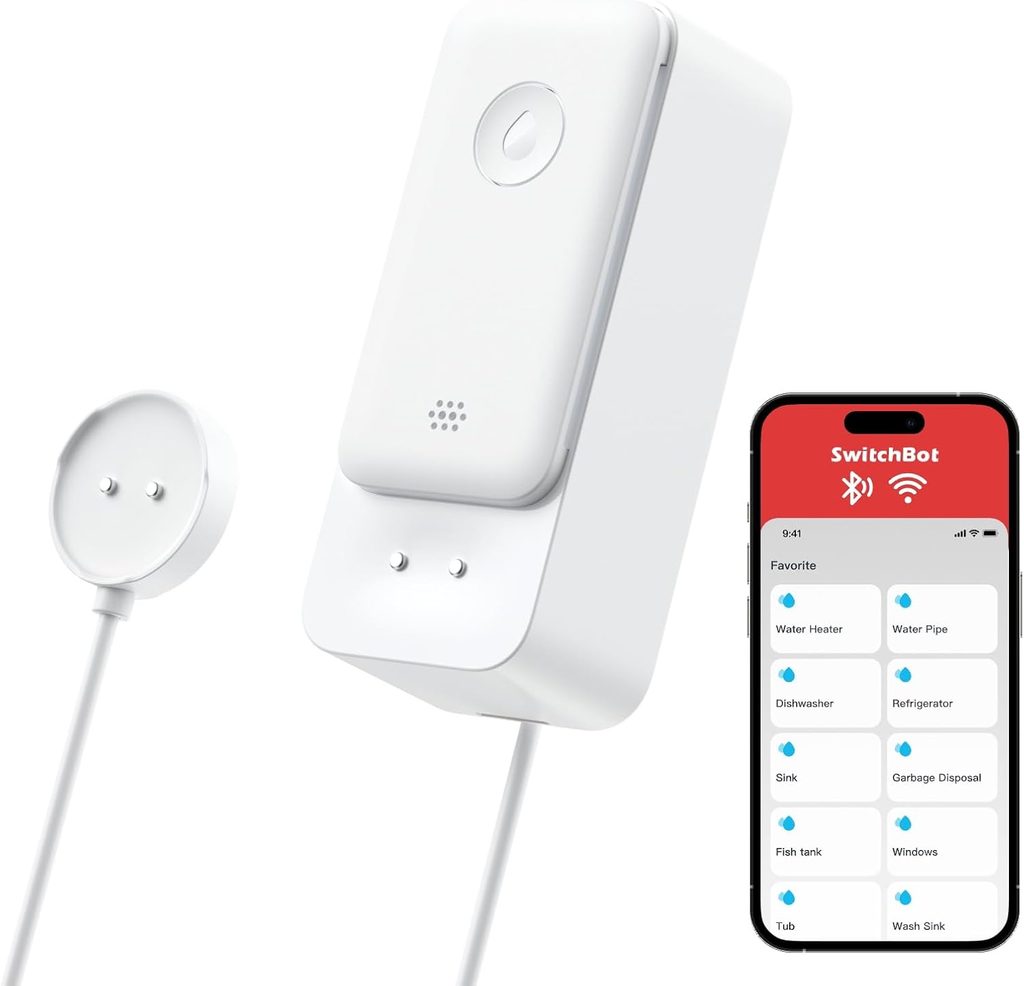
Best for: Simple remote monitoring
SwitchBot has built a broad smart-home ecosystem covering locks, sensors, plugs, curtains and other devices.
Its water leak detection products are particularly useful if your main goal is receiving remote alerts when water is detected.
The big advantage of a Wi-Fi-based setup is that it can be easier to understand for beginners.
You don’t necessarily want to spend hours figuring out complicated smart-home protocols just to protect the area underneath your washing machine.
Why it makes sense
A water sensor should ideally do three things well:
Detect water.
Alert you quickly.
Keep working reliably.
SwitchBot’s ecosystem focuses on making these devices controllable through its app and smart-home platform.
Depending on the exact model and setup, you can use the sensor to monitor areas where leaks are most likely to occur.
Recommended locations
Consider placing a SwitchBot leak detector near:
- Washing machines
- Sinks
- Toilets
- Water heaters
- Refrigerators
- Air conditioners
- Water pipes
Potential advantage
SwitchBot is particularly interesting for people who want to build a broader smart home.
Once you already have SwitchBot equipment, adding another sensor can make more sense than introducing another brand and another app.
Potential downside
SwitchBot sells different generations and configurations of smart sensors, so buyers need to check the exact model before purchasing.
Pay particular attention to:
- Wi-Fi requirements
- Hub requirements
- Battery type
- Smart-home compatibility
- Regional availability
Best for
Users who want water monitoring as part of a wider SwitchBot smart-home system.
[Check Price on AliExpress →]
#2 — GoveeLife Smart Water Leak Detector
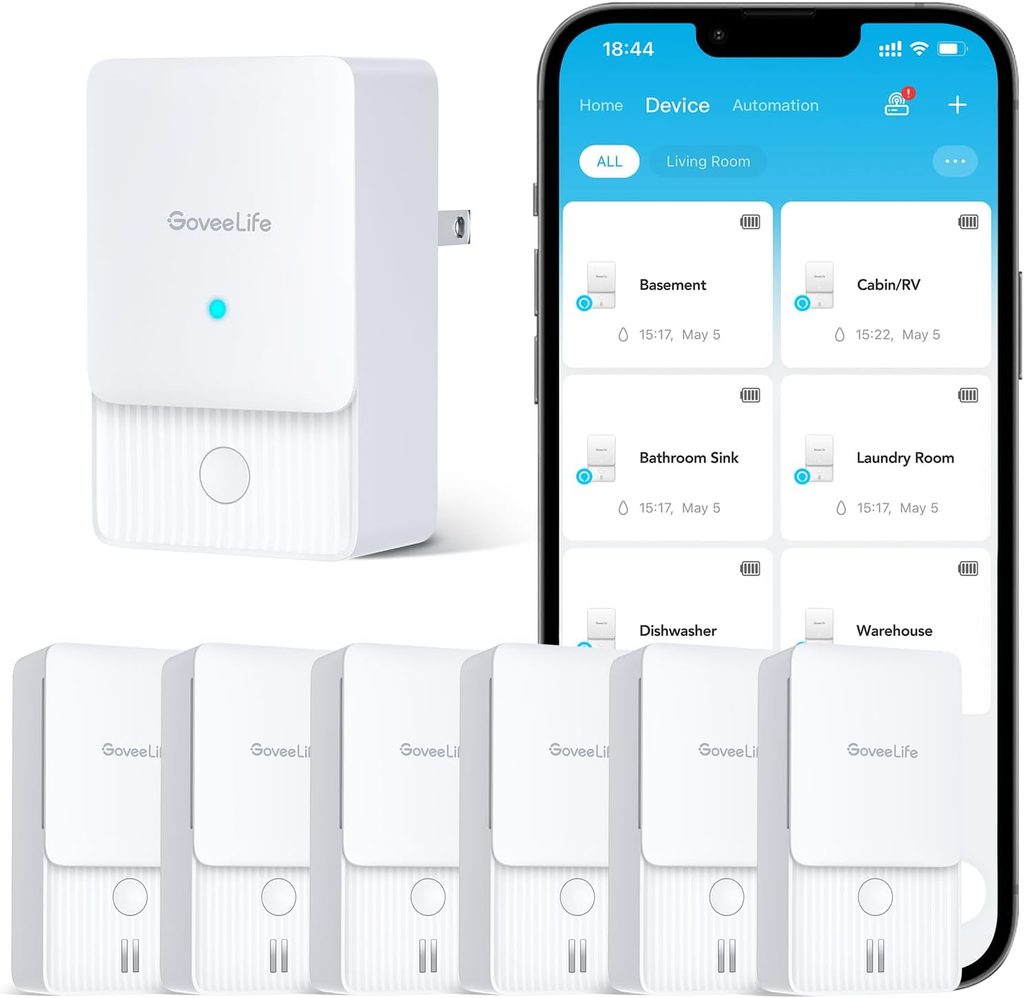
Best for: Protecting multiple areas on a budget
If you have several areas in your home that could potentially leak, buying one expensive sensor isn’t necessarily the best strategy.
You may actually get better protection by installing multiple affordable sensors.
That’s where GoveeLife Smart Water Leak Detectors become interesting.
Govee offers water leak detection products designed around a sensor-and-gateway approach, making it possible to monitor multiple locations through one system.
Current comparisons of smart leak detectors continue to highlight GoveeLife multi-sensor packages as a value-oriented option for covering several high-risk areas.
Why multiple sensors matter
Imagine you have:
Kitchen
One sensor under the sink.
Laundry room
One sensor behind the washing machine.
Bathroom
One sensor near the toilet.
Water heater
One sensor underneath or nearby.
Refrigerator
Another sensor near the water connection.
Suddenly, a multi-sensor kit makes a lot more sense than buying one premium detector.
Key advantages
- Multiple-sensor options
- Smartphone alerts
- Loud local alarms on supported models
- Gateway-based communication
- Suitable for multiple rooms
- Good for expanding coverage
- Govee smart-home ecosystem
Some Govee water-leak products also focus on high-volume alarms, which can help alert people inside the home even when a phone isn’t immediately available.
Best places to install Govee sensors
Focus on areas where water damage could start unnoticed:
- Under sinks
- Near washing machines
- Near dishwashers
- Around water heaters
- Near refrigerators
- In basements
- Near toilets
- Around plumbing connections
Potential downside
One thing to watch is the difference between the sensor and the gateway.
Some Govee leak-detection products require a compatible gateway for remote notifications.
Therefore, don’t assume that every Govee water sensor can connect directly to your home Wi-Fi.
Always check the exact kit you’re buying.
Best for
Families and homeowners who want to place several leak sensors around the house without spending too much on each location.
Check Price on Amazon
#1 — YoLink Water Leak Sensor
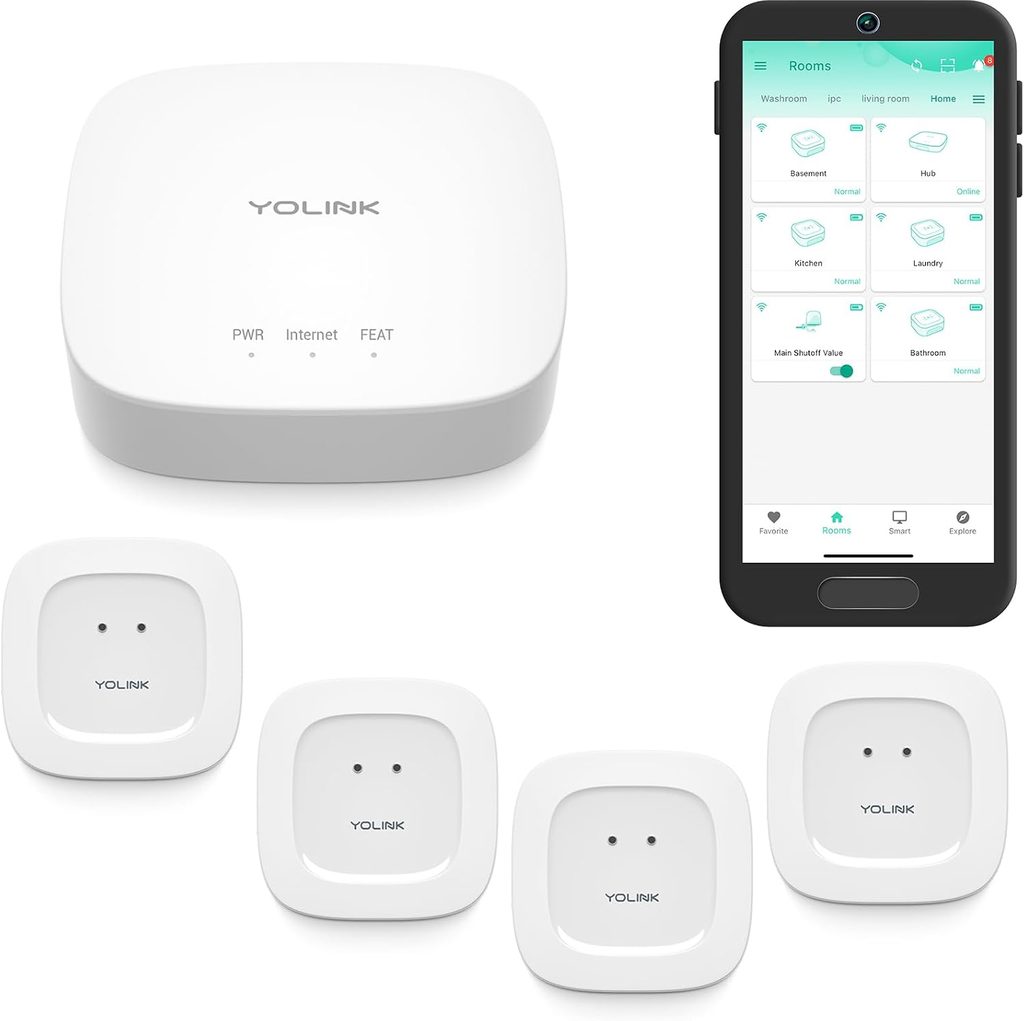
Best overall for long-range coverage
For a larger home or areas where ordinary wireless sensors may struggle to maintain a reliable connection, YoLink is particularly interesting.
YoLink uses a long-range wireless system designed for smart-home sensors.
That makes it especially useful for locations such as:
- Garages
- Basements
- Utility rooms
- Detached buildings
- Large houses
- Remote corners of a property
Recent 2026 comparisons have highlighted YoLink’s water leak sensors for their long-range capabilities and suitability for larger or difficult-to-cover homes.
Why range matters
A water sensor isn’t useful if it can’t reliably communicate with the rest of your smart-home system.
This can become a problem in larger homes.
For example, imagine placing a sensor in a basement while your router is upstairs.
A standard Wi-Fi sensor may have difficulty depending on the building structure and distance.
YoLink’s long-range approach is designed specifically to address this type of problem.
Key advantages
- Long-range communication
- Designed for large homes
- Water leak detection
- Remote alerts
- Expandable smart-home ecosystem
- Compatible with other YoLink sensors
- Can be used with additional automation equipment
Great for whole-home monitoring
YoLink becomes more attractive when you stop thinking about one sensor and start thinking about a water protection system.
You could install sensors at:
- Kitchen sink
- Washing machine
- Bathroom
- Water heater
- Refrigerator
- Basement
- Garage
- Utility room
Then combine them with other smart-home equipment.
This provides much broader coverage than simply buying one expensive sensor.
Potential downside
YoLink uses its own ecosystem and typically requires a compatible YoLink hub or gateway for remote smart-home functionality.
That means there is an additional piece of equipment to purchase if you’re starting from zero.
It’s also less attractive if you already have a completely different smart-home ecosystem and don’t want to maintain another platform.
Best for
Homeowners who need reliable long-range coverage or want to build a larger whole-home water-monitoring system.
[Check Price on AliExpress →]
Where Should You Install Smart Water Leak Sensors?
Buying the sensor is only half the job.
Placement is extremely important.
A sensor sitting on a shelf isn’t going to help much when a pipe underneath your sink starts leaking.
Here are some of the best locations.
1. Under the Kitchen Sink
This is one of the first places I would install a sensor.
There are several possible sources of water:
- Sink drain
- Water supply lines
- Dishwasher connections
- Faucet plumbing
- Garbage disposal
A small leak can remain hidden inside the cabinet.
2. Behind the Washing Machine
Washing machines use large amounts of water.
A failed hose or connection can release a significant amount of water quickly.
Place the sensor on the floor behind or beside the machine where water would collect.
3. Near the Water Heater
Water heaters can cause serious damage when they fail.
A water sensor placed near the base can alert you if water begins accumulating.
4. Under Bathroom Sinks
Bathroom plumbing can develop slow leaks that aren’t immediately obvious.
A small sensor can provide an early warning.
5. Near Toilets
A leaking toilet supply line or damaged connection can cause water to spread across the floor.
A leak detector nearby can provide another layer of protection.
6. Near Refrigerators
If your refrigerator has a water dispenser or ice maker, consider monitoring the water connection.
7. Near Air Conditioners
In homes with split or central air-conditioning systems, condensation drainage problems can sometimes result in water accumulation.
A sensor near the vulnerable area can help detect problems early.
Smart Water Leak Sensor vs. Traditional Water Alarm
You might wonder why you need a smart sensor when inexpensive water alarms already exist.
Here’s the difference.
| Feature | Traditional Alarm | Smart Leak Sensor |
|---|---|---|
| Detects water | Yes | Yes |
| Local alarm | Usually | Often |
| Phone notification | No | Yes |
| Remote monitoring | No | Yes |
| Smart-home automation | No | Yes |
| Battery alerts | Sometimes | Usually |
| Multiple sensors | Limited | Usually |
| Automatic shutoff | No | Possible with compatible equipment |
A traditional alarm can still be useful.
But a smart sensor gives you something extremely valuable:
information when you’re away from home.
Can a Smart Water Leak Sensor Shut Off the Water?
Not by itself.
This is an important distinction.
A leak sensor detects water.
A compatible automatic water shutoff valve physically stops the water.
Some smart-home ecosystems allow you to connect the two.
For example:
Water detected → sensor sends signal → smart valve closes → water stops.
Aqara specifically describes using its Water Leak Sensor with the separate Valve Controller T1 to automatically shut off water flow.
For whole-home protection, this can be much more powerful than a sensor alone.
However, automatic plumbing shutoff systems should be installed according to the manufacturer’s instructions and, where appropriate, by a qualified professional.
How Many Water Leak Sensors Do You Need?
There isn’t one correct number.
It depends on your home.
For a small apartment, you might start with:
3 sensors
- Kitchen
- Bathroom
- Washing machine
For a larger home:
5–8 sensors
For a house with several bathrooms, appliances and utility areas:
8+ sensors
The important thing is to prioritize areas where water damage would be expensive or difficult to notice.
What to Look for When Buying a Smart Water Leak Sensor
1. Detection Speed
The sensor should detect water quickly.
Early notification is the entire reason for owning the device.
2. Alarm Volume
A loud alarm is useful when you’re physically at home.
The Tapo T300, for example, has an alarm rated up to 90 dB.
3. Phone Notifications
If you are away from home, local alarms aren’t enough.
Look for a system that can send notifications remotely.
4. Battery Life
You don’t want to replace batteries every few months.
Look for products offering one- to several-year battery life, while remembering that manufacturer battery-life figures are usually based on specific test conditions.
5. Waterproof Rating
An IP rating tells you how resistant the device is to water and dust.
The Aqara Water Leak Sensor and Tapo T300 are examples of sensors designed for wet environments, with IP67 ratings listed by their manufacturers.
6. Hub Requirements
This is one of the easiest things to overlook.
A sensor might look inexpensive until you discover that you also need:
- A hub
- Gateway
- Bridge
- Border router
Always check what is included in the package.
7. Smart-Home Compatibility
Check whether the sensor works with your existing ecosystem.
Popular options include:
- Alexa
- Google Home
- Apple Home
- SmartThings
- Home Assistant
- Matter
Compatibility varies by model and hub.
Wi-Fi vs. Zigbee vs. Long-Range Systems
Choosing the right communication technology can be confusing.
Here’s the simple explanation.
Wi-Fi
Wi-Fi sensors can be convenient because your home already has a Wi-Fi network.
Best for: beginners and simple installations.
Zigbee
Zigbee is a low-power smart-home protocol commonly used by sensors.
The Aqara T1, for example, uses Zigbee 3.0.
Best for: smart-home enthusiasts and people already using a compatible hub.
Long-range systems
Products such as YoLink are designed to provide much longer communication distances than many conventional smart-home sensors.
Best for: large houses, basements, garages and difficult-to-reach locations.
Our Smart Water Leak Sensor Buying Advice
If you’re building your first smart-home system, don’t start by buying the most expensive sensor you can find.
Instead, think about coverage.
One premium sensor under your kitchen sink doesn’t protect the washing machine.
One sensor in the bathroom doesn’t protect the water heater.
Five strategically placed affordable sensors can potentially provide much better protection than one expensive device.
Start with the highest-risk locations.
Then expand the system over time.
Which Smart Water Leak Sensor Should You Buy?
Here’s the simple breakdown.
Choose the Aqara Water Leak Sensor T1 if:
You already use Aqara and want a small Zigbee sensor with long battery life and smart-home automation.
Choose the Tapo T300 if:
You want a loud local alarm, IP67 protection and Tapo smart-home integration.
Choose SwitchBot if:
You want water monitoring as part of a broader SwitchBot ecosystem.
Choose GoveeLife if:
You need several sensors around your home and want a cost-effective multi-sensor setup.
Choose YoLink if:
You need long-range communication or want to monitor difficult-to-reach areas.
Final Verdict
A water leak may start as something tiny, but the resulting damage can be anything but small.
That’s why smart water leak sensors are one of those smart-home gadgets that can be worth installing even if you’re not interested in smart lights, voice assistants or home automation.
For an existing Aqara setup, the Aqara Water Leak Sensor T1 is an excellent compact option.
The Tapo T300 stands out for its loud 90 dB local alarm and IP67 protection.
SwitchBot is worth considering if you’re already building around the SwitchBot ecosystem.
For protecting several areas on a budget, GoveeLife is particularly attractive.
But our overall pick for homes that need broader wireless coverage is the YoLink Water Leak Sensor.
Its long-range approach makes it especially useful for larger properties, basements, garages and other areas where maintaining a reliable connection can be difficult.
Most importantly, don’t think of a leak sensor as a single gadget.
Think of it as part of a home water-protection system.
Start with your kitchen, washing machine and water heater.
Then add sensors to bathrooms and other high-risk locations.
And if you want the next level of protection, combine leak detection with an appropriate automatic water shutoff system.
Frequently Asked Questions
Are smart water leak sensors worth it?
Yes. They can provide early warnings when water is detected and can notify you even when you’re away from home.
Where is the best place to put a water leak sensor?
Good locations include under sinks, beside washing machines, near water heaters, behind refrigerators, near toilets and around other plumbing connections.
Do water leak sensors stop leaks?
No. Most sensors only detect water and send an alert. Automatic water shutoff requires separate compatible equipment.
Do smart water leak sensors need Wi-Fi?
Not always.
Some use Wi-Fi, while others use Zigbee, Thread, proprietary long-range protocols or another wireless technology.
Does the Tapo T300 need a hub?
Yes. TP-Link states that the Tapo Hub is required for the T300.
Does the Aqara Water Leak Sensor T1 need a hub?
Yes. Aqara’s specifications list an Aqara hub as required for the sensor’s smart-home functionality.
How long do water leak sensor batteries last?
Battery life depends on the model and usage.
Aqara says its Water Leak Sensor can last more than two years under normal use, while TP-Link rates the Tapo T300 for more than three years based on laboratory testing. Actual battery life can vary.
Can I use multiple leak sensors?
Yes.
In fact, multiple sensors are usually a better approach for whole-home coverage.
Consider installing one at every major water-risk location.
What is the best smart water leak sensor?
Our overall pick is the YoLink Water Leak Sensor for homes where long-range coverage is important.
However, the best choice depends on your existing smart-home ecosystem.