

A smart door sensor is one of the simplest ways to add useful automation and monitoring to your home. Unlike a traditional door alarm, a smart contact sensor can tell you when a door, window, cabinet, drawer, refrigerator, or other opening changes from closed to open.
Depending on the model, you can receive phone notifications, trigger lights automatically, create security routines, or connect the sensor to a larger smart-home system.
In this guide, we’ve compared five smart door sensors based on connectivity, compatibility, installation, battery life, automation features, and overall usefulness.
Affiliate Disclosure: Home Gadget Zone may earn a commission when you purchase products through qualifying links. This does not increase the price you pay.
Quick Comparison
| Smart Door Sensor | Connectivity | Hub Required | Best For |
|---|---|---|---|
| TP-Link Tapo T110 | Tapo wireless | Yes | Tapo beginners |
| Aqara Door & Window Sensor T1 | Zigbee 3.0 | Yes | Aqara users |
| SONOFF SNZB-04P | Zigbee 3.0 | Yes | Long battery life |
| Eve Door & Window | Thread | Yes | Matter & privacy |
| Aqara Door & Window Sensor P2 | Matter over Thread | Yes | Multi-platform smart homes |
5. TP-Link Tapo T110 Smart Contact Sensor
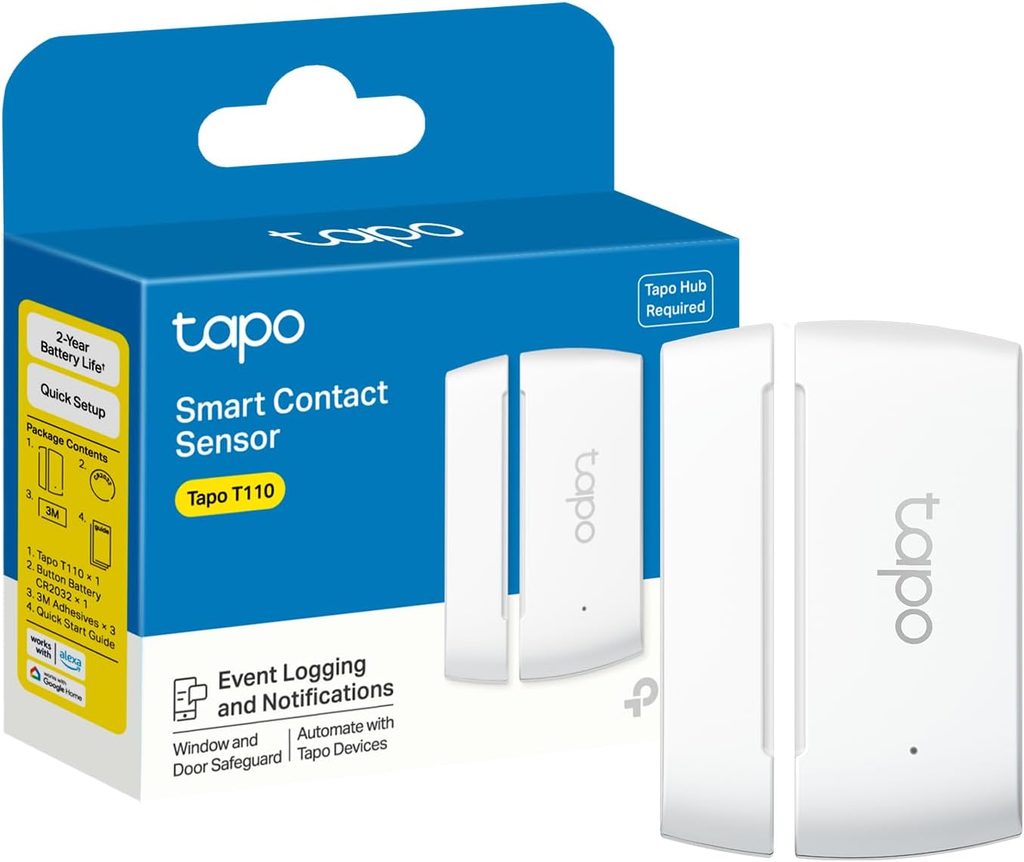
Best for: Tapo smart-home users
The TP-Link Tapo T110 is a compact contact sensor designed to monitor doors, windows and other openings.
TP-Link says the T110 can monitor doors, windows, cabinets, refrigerators and even mailboxes. It can send notifications through the Tapo app and trigger smart actions involving other Tapo devices.
Key features
- Door and window monitoring
- Instant app notifications
- Smart automation
- 3M adhesive installation
- Up to 15 mm supported gap
- CR2032 battery
- Claimed 1+ year battery life
- Alexa and Google Assistant compatibility
- Tapo Hub required
TP-Link says its battery testing was based on 60 triggers per day and 22,000 triggers in total. Actual battery life can vary depending on usage and conditions.
Why consider it?
The T110 makes sense if you already use other Tapo products.
For example, opening your front door could trigger a Tapo smart bulb, while an unexpected door opening could send an alert to your phone.
You can also use it beyond security.
Place one on a:
- Refrigerator
- Cabinet
- Drawer
- Mailbox
- Pet door
- Window
Potential drawback
The Tapo Hub is required for the sensor’s smart features, so the total cost of the setup is higher if you don’t already own the hub.
Best for
Existing Tapo users who want an inexpensive way to add door and window automation.
→ Check Price on Amazon
4. Aqara Door and Window Sensor T1
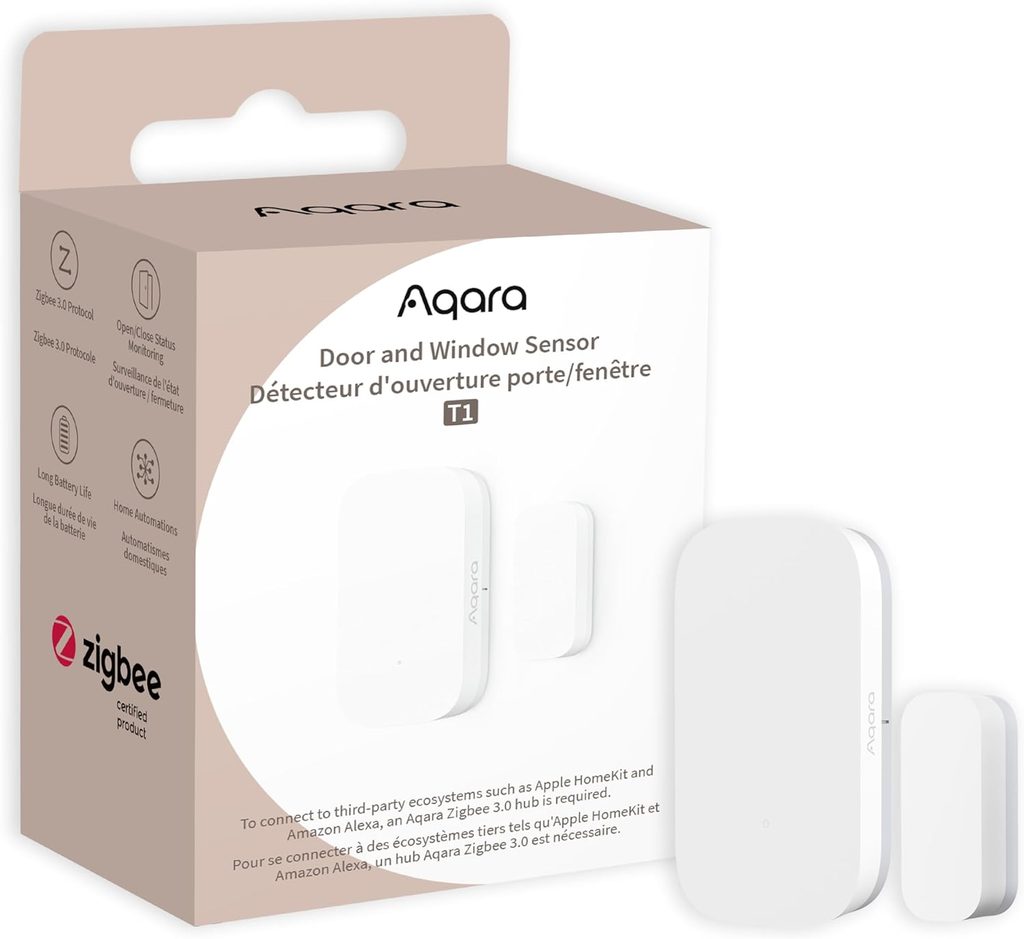
Best for: Aqara and Zigbee smart homes
The Aqara Door and Window Sensor T1 is a compact Zigbee 3.0 contact sensor designed to detect whether doors, windows, drawers and other openings are open or closed.
Aqara lists a CR1632 battery, Zigbee 3.0 connectivity and a maximum detection distance of 22 mm.
Key features
- Zigbee 3.0
- CR1632 battery
- Up to 22 mm detection distance
- Compact design
- Door and window monitoring
- Smart-home automation
- Aqara hub required
The sensor can be used as an automation trigger.
For example:
Door opens → smart light turns on.
Or:
Window opens → smart-home automation starts.
Aqara’s documentation explains that the T1 detects opening and closing using a reed-switch design and can use those changes as conditions for smart scenes.
Why consider it?
Zigbee is particularly useful when you’re building a larger smart-home network containing multiple low-power sensors.
Instead of putting every small sensor directly onto your Wi-Fi network, Zigbee devices communicate through a compatible hub.
Potential drawback
You need a compatible Aqara hub, and compatibility should be checked before purchasing because not every smart-home platform exposes exactly the same features.
Best for
Aqara users and people building a Zigbee-based smart home.
→ Check Price on Amazon
3. SONOFF SNZB-04P
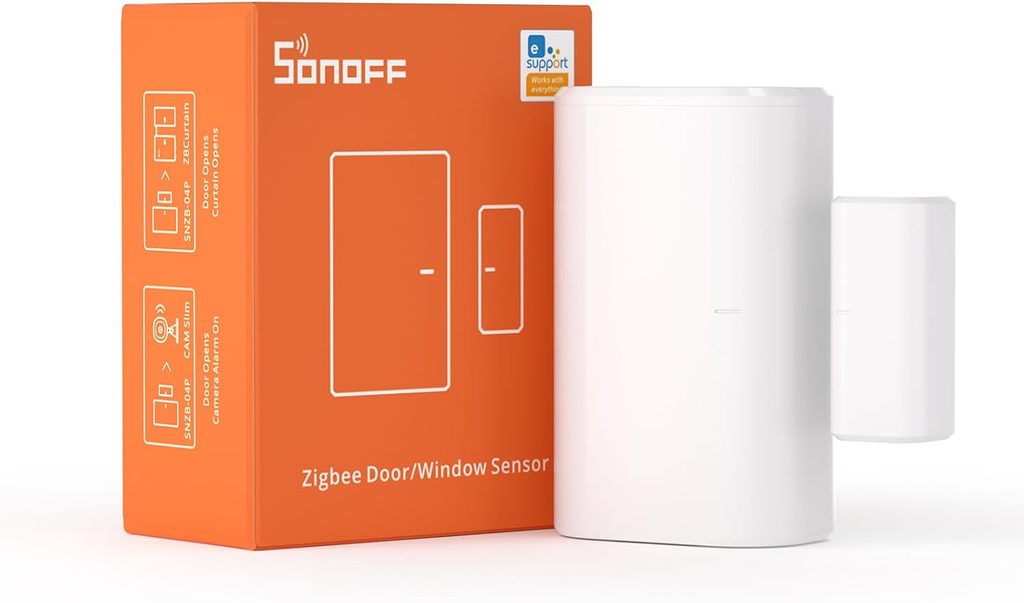
Best for: Long battery life
The SONOFF SNZB-04P is a Zigbee 3.0 door and window sensor aimed at people who want long-term monitoring with fewer battery changes.
SONOFF claims more than five years of battery life from its CR2477 battery under its specified conditions. It also includes tamper protection and local smart-scene functionality.
Key features
- Zigbee 3.0
- CR2477 battery
- Claimed 5+ year battery life
- Tamper alert
- Instant notifications
- Local smart scenes
- Up to 20 mm installation distance
- Works with compatible Zigbee hubs
The SNZB-04P can trigger other smart devices when a door or window opens.
For example:
Door opens → hallway light turns on.
It can also trigger audible or visual alarms and send app notifications when an opening is detected.
Why consider it?
Battery replacement can become annoying when you have sensors installed on multiple doors and windows.
The SNZB-04P’s claimed battery life makes it particularly interesting for larger installations.
The local scene feature is another useful feature. SONOFF says certain Zigbee scenes can continue working locally when the network is disconnected, provided the relevant devices remain powered.
Potential drawback
You’ll need compatible Zigbee infrastructure. This isn’t necessarily a problem for an established Zigbee smart home, but beginners should factor the hub or coordinator into the total cost.
Best for
Smart-home enthusiasts who want a Zigbee contact sensor with a long claimed battery life.
→ Check Price on Amazon
2. Eve Door & Window
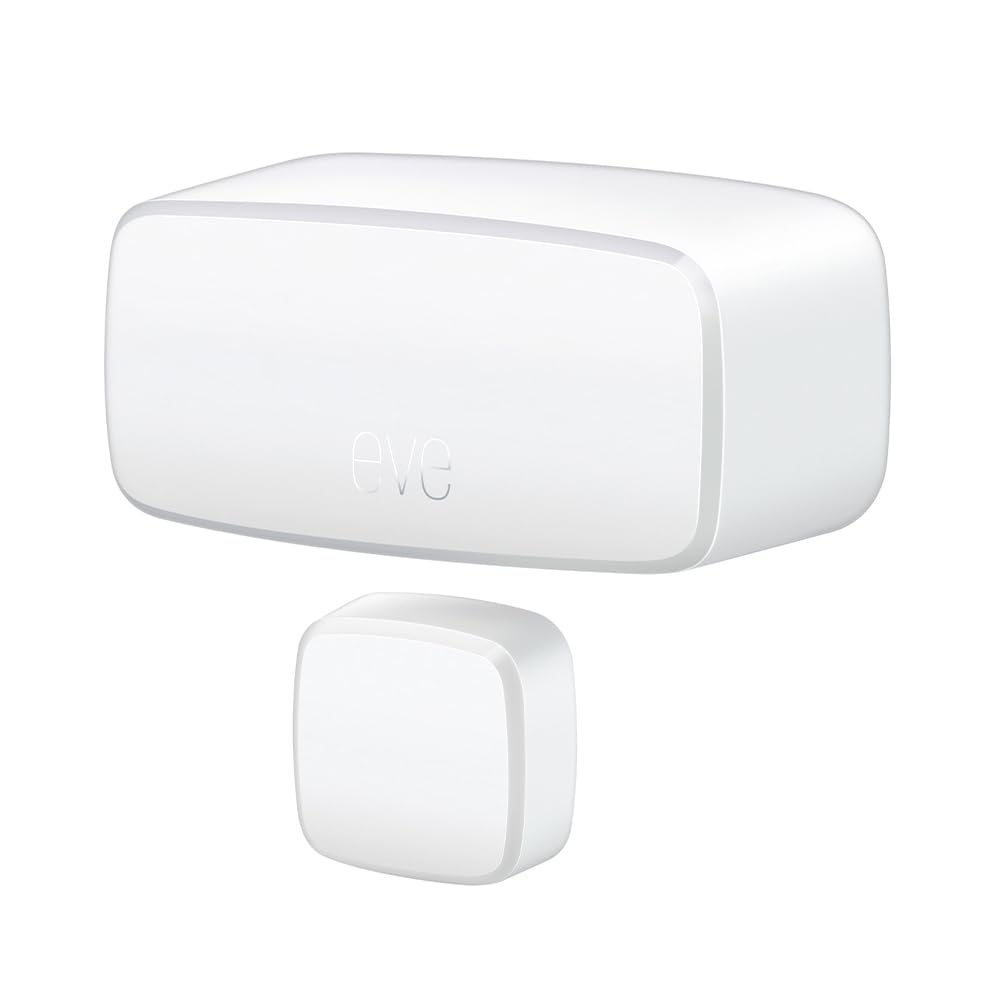
Best for: Matter, Thread and privacy-focused smart homes
The Eve Door & Window is a Thread-based contact sensor designed for modern smart-home systems.
Eve says the current model uses Thread, requires a compatible hub with Matter Controller and Thread Border Router functionality, and works across platforms including Apple Home, Samsung SmartThings, Alexa and Home Assistant.
Key features
- Thread connectivity
- Matter support
- No subscription
- No Eve cloud
- Privacy-focused design
- Activity notifications
- Automation support
- Replaceable ½ AA battery
- Compatible hub required
Eve’s current specifications list a replaceable 3.6V ½ AA battery and Thread wireless connectivity.
Why consider it?
One of the biggest reasons to consider Eve is its approach to privacy and local smart-home operation.
Eve states that it does not require an Eve cloud account or subscription and emphasizes local operation.
The sensor can also be used for more than security.
For example, Eve describes an automation where opening a window can temporarily stop heating while the room is being ventilated.
Potential drawback
A compatible Matter controller and Thread Border Router are required.
That means Eve may not be the simplest choice for someone buying their first smart-home device.
Best for
Users building a Matter/Thread smart home who care about local control and privacy.
→ Check Price on Amazon
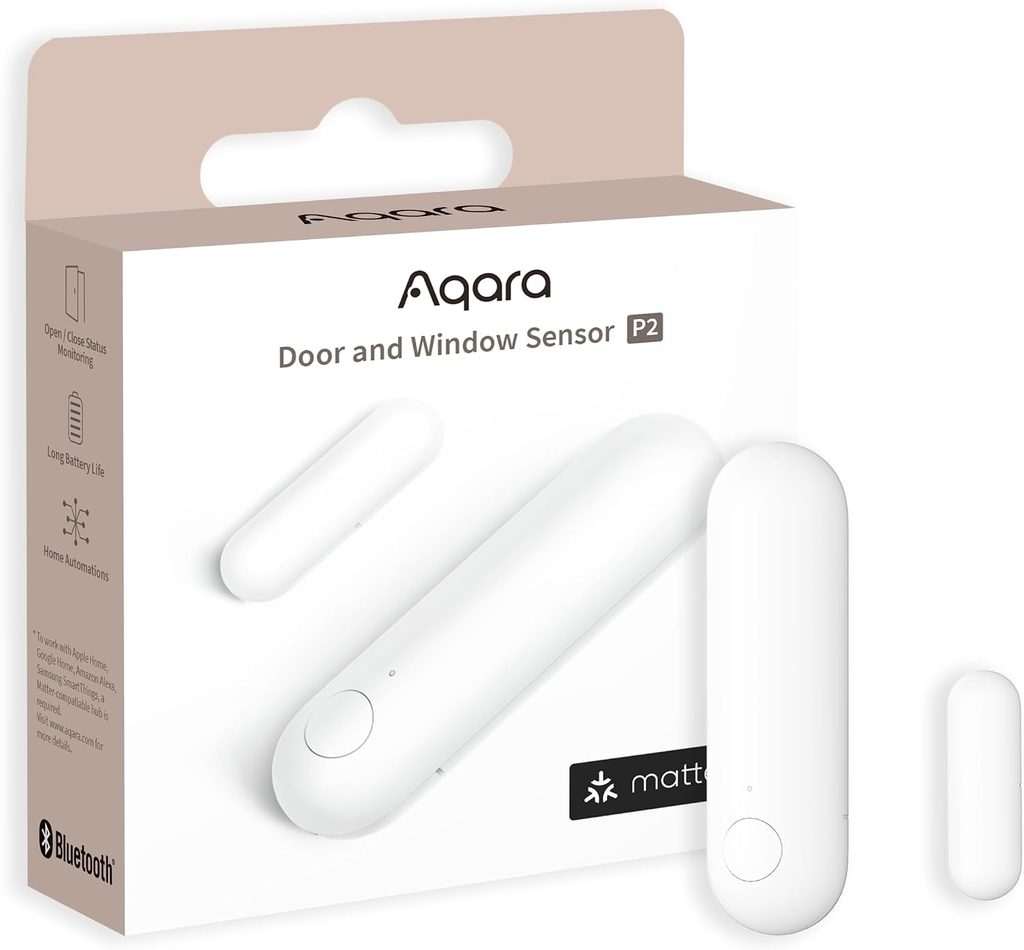
1. Aqara Door and Window Sensor P2
Best for: Multi-platform Matter smart homes
The Aqara Door and Window Sensor P2 is a Matter-over-Thread contact sensor designed for modern smart-home ecosystems.
Aqara says the P2 supports Matter and can integrate with platforms including Apple Home, Google Home, Amazon Alexa and Samsung SmartThings through compatible Matter and Thread infrastructure.
Key features
- Matter support
- Thread connectivity
- Real-time open/close detection
- Local home automation
- Smartphone alerts
- CR123A battery
- Adhesive installation
- Adjustable installation options
- Compatible with multiple smart-home ecosystems
Aqara lists Thread and Bluetooth as the wireless protocols and a CR123A battery for the P2.
Why consider it?
The biggest attraction is interoperability.
If you don’t want your smart-home setup locked into one ecosystem, Matter can make it easier to use compatible devices across supported platforms.
The P2 can also be used to trigger automations.
For example:
Door opens → security camera activates.
Or:
Window opens → heating automation changes.
Aqara says the P2 can perform local home automations and send real-time alerts when the sensor is triggered.
Important requirement
This isn’t a completely hub-free sensor.
Aqara states that a Matter Controller and Thread Border Router are required for use with a Matter-enabled ecosystem.
Compatible hardware can include devices such as certain Apple TV, HomePod, SmartThings and Google Nest products, depending on the ecosystem and configuration.
Best for
People building a modern multi-platform smart home around Matter and Thread.
→ Check Price on Amazon
What Is a Smart Door Sensor?
A smart door sensor is normally made up of two small components.
One component is attached to the door or window, while the other is attached to the frame.
When the two pieces move apart, the sensor detects that the door or window has opened.
The sensor can then send that information to your smart-home system.
For example:
Door Opens
     ↓
Smart Sensor Detects Change
     ↓
Smart Home Hub
     ↓
Phone Notification
     ↓
Optional Automation
Depending on the system, you could also trigger lights, cameras, alarms or other smart devices.
What Can You Use Smart Door Sensors For?
You don’t have to use them only on exterior doors.
Front door
Receive an alert when the front door opens.
Windows
Know when a window is opened.
Cabinets
Monitor medicine cabinets, storage cabinets or other cupboards.
Refrigerator
Receive an alert if the refrigerator door remains open.
Drawers
Create an automation when a drawer is opened.
Mailbox
Get notified when the mailbox is opened.
Garage
Monitor whether a garage door is open or closed.
Smart contact sensors can therefore become useful automation triggers throughout the home.
Zigbee vs Thread vs Wi-Fi Smart Door Sensors
One of the most important things to understand before buying a sensor is the wireless protocol.
Zigbee
Zigbee is common among low-power smart-home sensors.
Advantages include:
- Low power consumption
- Mesh networking
- Many available devices
- Good smart-home automation potential
The disadvantage is that you generally need a compatible hub or coordinator.
Examples from this list include the Aqara T1 and SONOFF SNZB-04P.
Thread
Thread is another low-power mesh protocol used by newer smart-home devices.
The Aqara P2 and Eve Door & Window use Thread.
Thread is particularly interesting alongside Matter.
Wi-Fi
Wi-Fi devices can be convenient because many homes already have Wi-Fi infrastructure.
However, battery-powered sensors typically need to prioritize power efficiency, which is one reason protocols such as Zigbee and Thread are common in this category.
What to Look For When Buying a Smart Door Sensor
1. Compatibility
This should be your first check.
Find out whether the sensor works with:
- Apple Home
- Google Home
- Alexa
- SmartThings
- Home Assistant
- Aqara
- Tapo
- Other systems
Don’t assume that a device with a Matter logo automatically supports every feature on every platform.
2. Hub requirements
Some sensors require a specific hub.
For example, TP-Link says the Tapo T110 requires a Tapo Hub, while Aqara’s P2 requires compatible Matter/Thread infrastructure.
3. Battery life
A sensor that needs frequent battery replacement can become inconvenient.
Look at the manufacturer’s stated battery life, but remember that actual battery life depends on usage and network conditions.
4. Detection distance
The maximum distance between the sensor and magnet matters, especially if your door or window has an unusual frame.
5. Installation
Most contact sensors use adhesive mounting.
Make sure the mounting surfaces are clean and that the sensor and magnet can be aligned correctly.
6. Automation
Think beyond notifications.
A good sensor can become a trigger for other smart-home devices.
Are Smart Door Sensors Worth It?
For many smart-home setups, door and window sensors are among the simplest devices to add.
They’re small, relatively easy to install and can perform several useful functions.
They can provide:
- Door/window status
- Security alerts
- Lighting automation
- Energy-saving routines
- Cabinet monitoring
- Refrigerator alerts
- Home automation triggers
The important thing is choosing a sensor that works with the ecosystem you already have—or the ecosystem you plan to build.
Frequently Asked Questions
Do smart door sensors need Wi-Fi?
Not necessarily. Some use Zigbee or Thread instead of Wi-Fi. These systems may require a compatible hub or border router.
Can I use a smart door sensor on a window?
Yes. Most contact sensors are designed to detect the separation of two pieces, so they can usually be installed on windows as well as doors.
Can smart door sensors work without a hub?
Some devices may connect directly using particular wireless technologies, but many Zigbee, Thread and Matter setups require a compatible hub, controller or border router.
Always check the manufacturer’s requirements before purchasing.
Can I use a smart door sensor on a refrigerator?
Yes. Contact sensors can be used to monitor refrigerators, cabinets and drawers. TP-Link specifically lists refrigerators among the possible applications for the Tapo T110.
Do smart door sensors trigger alarms?
Some can trigger notifications, alarms or other smart-home actions. The exact functionality depends on the sensor, hub and smart-home platform.
Final Thoughts
Smart door sensors are a small addition that can make a smart home considerably more useful.
If you’re already using Tapo, the Tapo T110 is a natural option. For a Zigbee setup, the Aqara T1 and SONOFF SNZB-04P are worth investigating. If you’re building around Matter and Thread, the Eve Door & Window and Aqara P2 offer a more modern approach.
Before purchasing, always check hub requirements, wireless protocol, battery type, regional compatibility and the exact product version.